 Averse Studio
How to Make AI Movies Like “She Gave Birth to a Dragon” in Claude (Step-by-Step)
A short AI fantasy film with the same characters in every shot and real spoken dialogue, from one chat, packaged like the channels getting 80M views.

Why AI movies are exploding
She Gave Birth to a Dragon has 82 million views on YouTube. A brand-new channel uploaded it in September, and it pulled 55 million views in the first seven days. The studio behind it says the film passed one billion views worldwide, 300 million of them on Facebook alone. The channel had posted three videos.
It's not alone: a diver meets a creature in a hidden cave (40 million views), a mermaid (26 million), a mother raising a dragon (21 million), a crocodile man (14 million).
How much does an AI movie make?
For a global audience, YouTube ads pay roughly $1 to $3 per thousand views. At 82 million views, that's somewhere around $80,000 to $240,000 from ads, before the Facebook views and before the sponsorships AI tool companies pay channels like this.
The 5 ingredients of a viral AI movie
- A hook you can say in one breath. She gave birth to a dragon. You read it, and you have to know what happens.
- Someone loves what everyone else fears. A mother and a monster: the engine of almost every one of these films.
- The same characters in every shot. Her face never changes. The dragon never changes.
- People talk. Real lines, spoken out loud, with lips that match.
- It looks like a real movie. A poster for a thumbnail, "Full Fantasy Movie" in the title, and chapters in the description.
What you need
Claude and the Averse Studio connector: one link, added once in Claude's connectors, about thirty seconds. Here's the setup.
Step 1: The story
Open a new chat and type:
Start: AI Drama MovieClaude asks you three things: the vibe, the setting and the length. Answer them in one message:
Fantasy, the Arabian desert, about a minute.You get three stories, all built on the same engine. Pick one by its number, or ask for more. The example here is The Sand Dragon: a Bedouin widow finds a dragon egg in a sandstorm and raises the hatchling as her son, until the tribe gives her a choice: the dragon, or exile.
Then Claude writes the beat sheet: twelve shots of about six seconds. Look at the structure: it opens cold on the climax (torches, spears, a tent), then jumps back a year to show how we got there. That's the same trick the big channels use to keep you watching. Every shot gets one clear action and at most one short line of dialogue.
Step 2: The cast
Three characters: Noor, the mother; Raml, the dragon; and the Sheikh. Claude writes an exact look list for each one and makes a master image. Then it locks them with character sheets: front, three-quarter, side and full body. For the dragon, the baby and the grown dragon go on the same sheet, torn wing and all. These sheets keep every face identical for the rest of the film.

If you want a change, say it in plain words:
Make the Sheikh older, with a longer grey beard.Step 3: The shots
For every shot, Claude makes a still from the masters and the sheets: same characters, new scene. Twelve stills that look like frames from a real film: the camp at night, the sandstorm, the hatching, the exile at dawn.
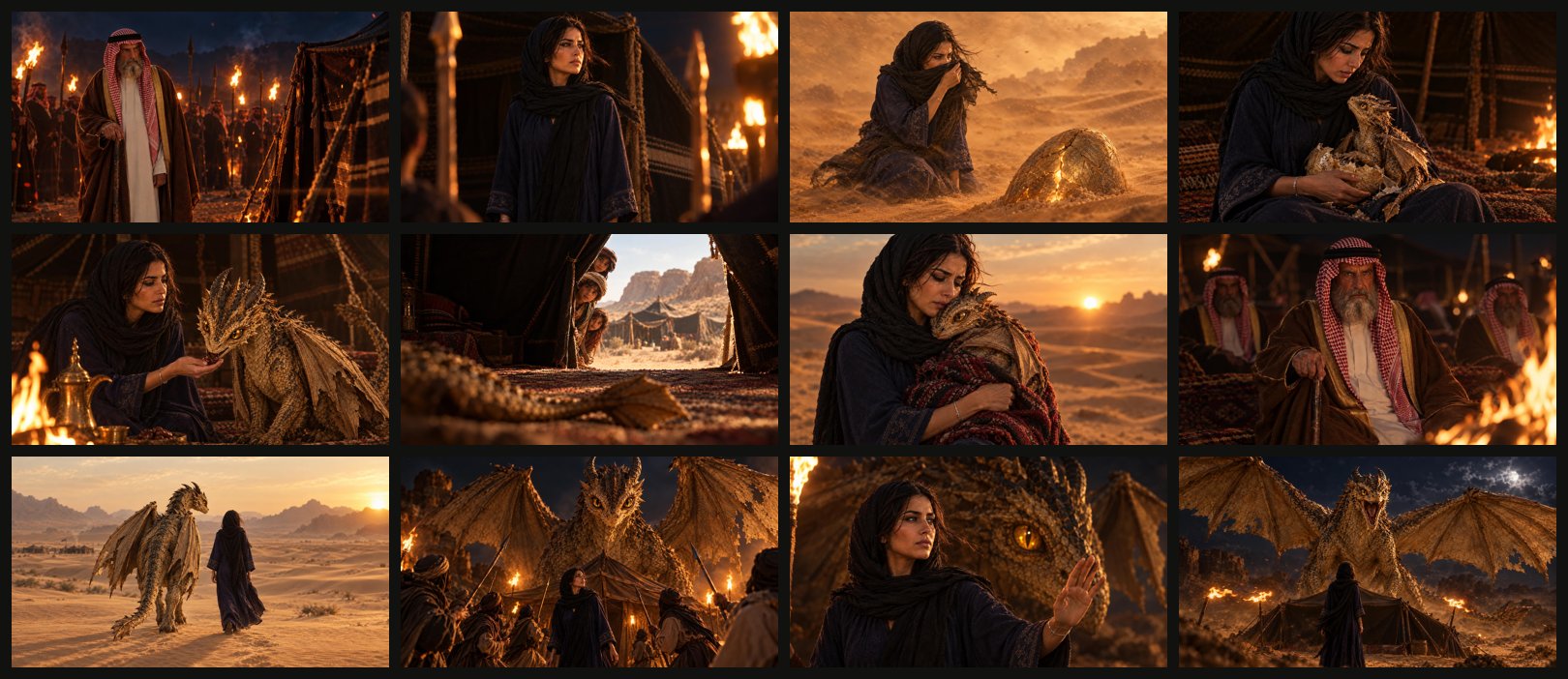
Check every still before you animate: changing a still takes seconds. Point at the one you want changed:
In shot four, only one dragon: the newborn.Step 4: Motion and dialogue
Each still becomes a clip with the action, the camera move, and the line the character says, word for word. The voice, the lips and the sound come back together, in one step. Claude tells you what it will make before it starts; say yes and it runs all twelve.
Looks good, make the clips.Step 5: The final cut
Claude joins the twelve clips in order, each keeping its own dialogue and sound:
Join them into the film.Seventy seconds. The full film is at the end of this page.
Step 6: Package it like the big channels
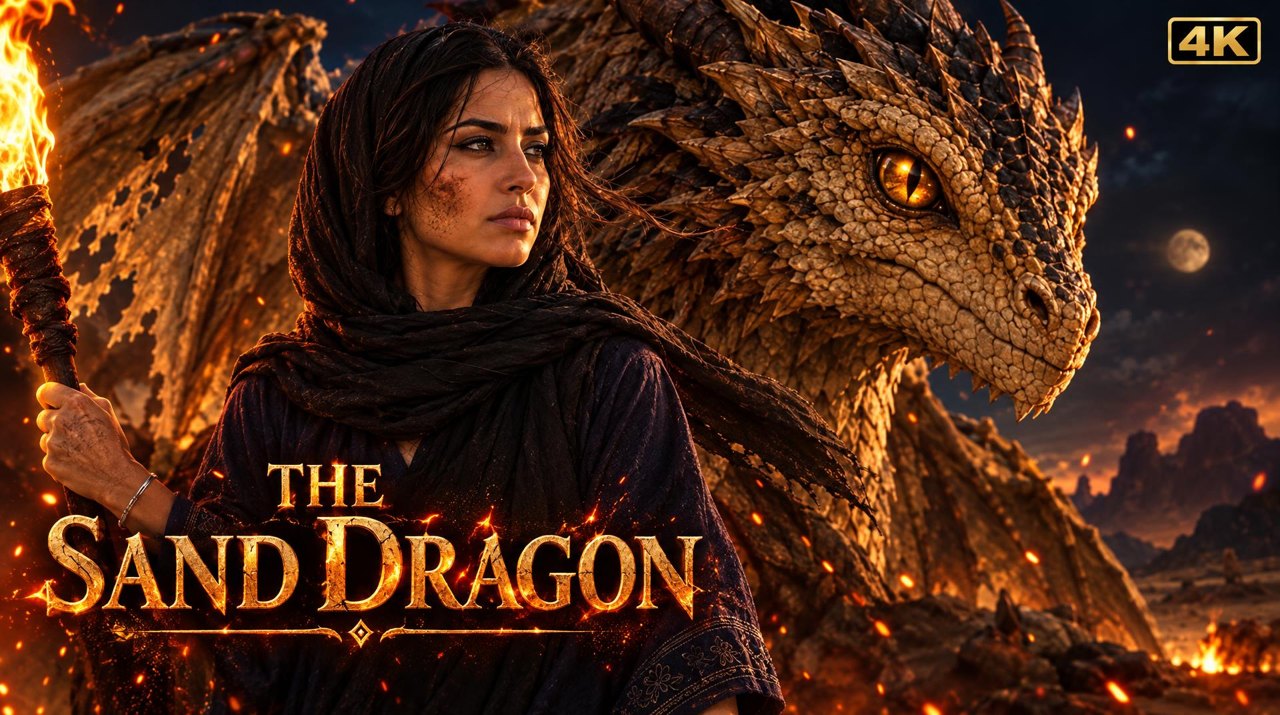
Make the poster and write the title and description.- The poster: her face up front, the dragon's eye behind her, the title in gold. It's your thumbnail.
- The title: the hook in plain words, the film's name, and the genre people search for. She Raised a Dragon in the Desert | The Sand Dragon | AI Fantasy Movie.
- The description: a four-line teaser that stops on a cliffhanger, a note that it's made with AI, one question for the comments, and chapters.
Where to post an AI movie
- The full film on YouTube and on Facebook. Facebook is where the dragon movie got 300 million views.
- Two or three vertical clips for TikTok and Reels: the cold open, and the most emotional line.
- When one works, make Part Two, and keep the hook words in the title. The dragon movie's sequel dropped them and got 600 thousand views instead of 82 million.
- Want a 20-minute movie? Same workflow, more shots: the same characters and the same sheets.
What you do
- Pick a story with a one-breath hook.
- Lock the cast with character sheets.
- Check your stills before any video.
- Let the characters speak their lines.
- Join it, and package it like a real movie.
The Sand Dragon
Seventy seconds, twelve shots, three characters, made in one chat:
Make your own
Everything in this article runs inside Claude with Averse Studio: the characters, the pictures, the episode with real voices, the thumbnail, and every caption and description, all in one chat.
Start: AI Drama MovieFAQ
How do AI movie channels get so many views?
They use the same five ingredients: a hook you can say in one breath, someone who loves what everyone else fears, the same characters in every shot, characters who actually talk, and packaging that looks like a real movie: a poster thumbnail, "Full Fantasy Movie" in the title, and chapters.
How much can an AI movie make?
She Gave Birth to a Dragon has 82 million views on YouTube. At a typical $1 to $3 per thousand views for a global audience, that's roughly $80,000 to $240,000 from YouTube ads, before Facebook views and sponsorships.
How do the characters stay the same in every shot?
Each character gets a master image and a character sheet (front, three-quarter, side and full body). Every shot is made from those references, so faces don't drift. You check each still before any video is made.
Do the characters really talk?
Yes. You write each line word for word, and the clip comes back with the voice, the lip movement and the sound in one step. No separate voice-over or lip-sync tool.
Can I make a 20-minute AI movie?
Yes. It's the same workflow with more shots: the same characters and the same sheets, so the film stays consistent from start to finish.